














[ad_1]

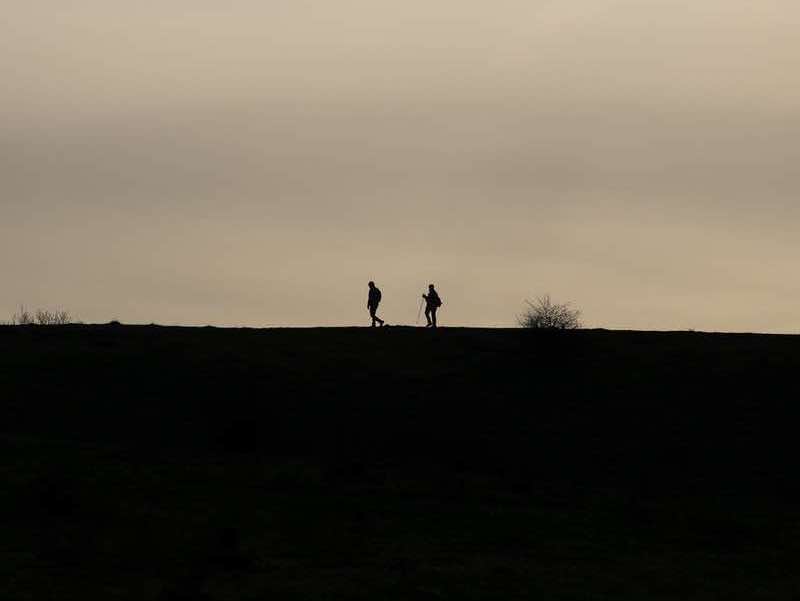
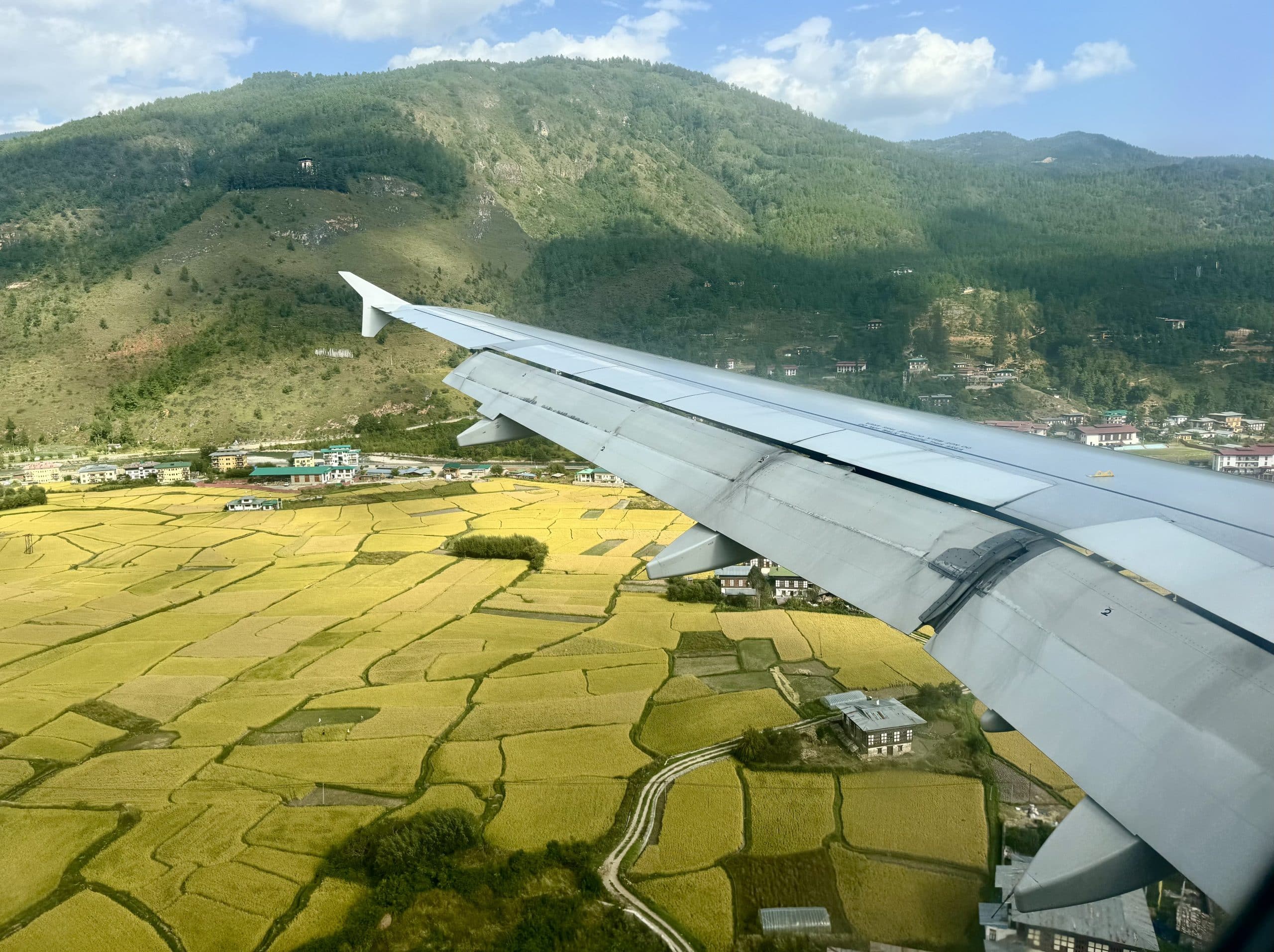
Light, leading lines, and framing all contributed to this photo. Photo – Robin O’Neal Smith
You return from a trip with hundreds of photos and keep maybe ten. The rest? Slightly blurry, oddly framed, or just missing the magic you felt in the moment. If that sounds familiar, you’re not alone. It’s not a talent problem. It’s a timing, awareness, and intention problem.
Great travel photos depend more on your perspective and creative approach than on your equipment.
I know many who shoot professionally but still reach for their phone constantly when traveling. Personally, I almost always use my phone. Why? Because it’s fast, discreet, and always ready. And when used well, it can produce images that feel just as compelling as anything shot on a full-frame camera.
This guide builds on core principles and expands them into a deeper, more practical, boots-on-the-ground playbook you can actually use while standing in a busy market, on a windswept overlook, or in a dimly lit restaurant.
Table of contents: ()

Photographic items to pack. Photo – Robin O’Neal Smith
Start Before You Even Leave: The Photographer’s Pre-Flight Check
Great photos don’t start at the destination. They start before you walk out the door.
1. Charge your device.
Phones and cameras drain quickly, especially when using video, navigation, or HDR. Start with a full battery.
2. Photos don’t wait for you to recharge.
Carry:
- A slim power bank. (I use one that is thin, and it magnetically attaches to the back of my iPhone. No cords needed.)
- A charging cable in your day bag
- Optional: battery case if you shoot heavily
Quick Tip: Make sure you recharge all power banks in advance.

Getting a few feet from the subject and using the rule of thirds adds interest. Photo – Robin O’Neal Smith
3. Clean Your Lens (Yes, Really)
This is the most overlooked step and the easiest fix. A fingerprint turns crisp light into a hazy glow. It’s the difference between “wow” and “why does this look foggy?”
A quick wipe removes smudges that make photos look soft or hazy. Use a microfiber cloth if possible, or at least avoid rough fabrics.
Quick Tip: Wipe your lens every time you take your phone out of your pocket.
4. Storage Is Creative Freedom
Running out of space mid-moment is incredibly frustrating.
Before your trip:
- Clear space on your phone
- Back up older photos
- Remove duplicates
If you’re an iPhone user, this guide on removing duplicate iPhone photos is incredibly helpful.
You can also use apps like Clever Cleaner to streamline this process.
Less clutter equals faster shooting and better organization later.
5. Keep It Light
Ironically, more gear often leads to fewer good photos.
A phone and these items; several are optional, depending on what you plan to photograph and how much you want to carry.
- Power bank
- Small tripod
- Charging cable
- Lens cleaning cloth
- Second Power Bank (optional)
- Clip-on lens (optional)
- Compact camera (if you prefer)
Key takeaway: Limiting your gear keeps you nimble and helps you focus on capturing stronger images.
6. Do Daily Backups
Cloud storage, external drives, or a second device can save your work if something goes wrong.

These Pork Belly Buns in natural light make the color stand out. Photo – Robin O’Neal Smith
Use Light to Take Better Travel Photos
I’ve stood in the same spot twice, once at noon and once just before sunset, and it felt like two completely different destinations. That’s when it really clicked for me, light isn’t just important, it’s everything.
I’ve learned to watch how light changes everything. Sometimes it flattens a scene, and other times it brings out texture I didn’t even notice at first. The exact same location can look completely different depending on when and how you photograph it. Learning to recognize good light is more valuable than upgrading your camera.
Shoot at the Right Time
Some light does the work for you.
Golden Hour: Nature’s Filter
Early morning and late afternoon wrap everything in warm, flattering light. Shadows stretch, colors deepen, and even ordinary scenes feel elevated.
There’s also a practical bonus: fewer crowds and a calmer environment.

This photo was taken during the blue hour. Even though I was inside, I was able to capture it. Photo – Robin O’Neal Smith
Blue Hour: Quiet Drama
Just after sunset or before sunrise, the world turns cool and moody. City lights glow. Reflections sharpen. It’s subtle, but powerful. The blue hour is especially powerful for snow photos.
If the light feels harsh to your eyes, it will likely look harsh in your photo too.
Midday Light: The Villain You Can Outsmart
Travel doesn’t always align with perfect lighting conditions. If the light feels harsh to your eyes, it will likely look harsh in your photo too.
Harsh sunlight creates:
- Deep shadows
- Blown-out highlights
- Squinty faces
But instead of avoiding it entirely, adapt to it and win.
- Look for shade to soften light.
- Shoot from the side instead of head-on, and a slight angle change can make a huge difference.
- Use shadows as part of your composition.
Michael Smith, a former wedding photographer, mentioned, “If you can find shade that adds to the photo, it is even better. Think a tree in blossom, a gazebo, or the side of a barn for a rustic wedding. Anything is better than harsh light with the subjects squinting.”

Clouds and fog add to the drama of the photo. Photo Robin O’Neal Smith
Weather Is Your Creative Partner
Clear skies are overrated. Weather transforms scenes in ways most people overlook.
Instead:
- Overcast skies create soft, even light.
- Rain adds reflections and shine.
- Fog introduces depth and mood.
The conditions many travelers avoid often produce the most distinctive images.

White statues of people in a train station. Light, leading lines, and the rule of thirds all contributed to this photo. Photo – Robin O’Neal Smith
Composition Techniques That Instantly Improve Travel Photography
I used to snap photos quickly and move on, until I realized most of them felt flat. Once I started pausing and asking what I actually wanted the viewer to notice, my photos instantly improved.
Composition is how you guide the viewer’s eye and decide what matters in your frame. Even with perfect lighting, poor composition can weaken a photo.
The good news is that a few simple techniques can dramatically improve your results right away.
Here’s how to fix that quickly.
Follow the Rule of Thirds
Your camera grid is one of your most useful tools.
Dividing the frame into thirds helps you place your subject in a way that feels natural and balanced. Instead of centering everything:
Turn on your grid lines if your camera supports them.
Place your subject:
- Slightly off-center
- Along the grid lines or intersections
This instantly makes photos feel more balanced and intentional.

Leading lines draw your eye to the subject and increase depth. Photo – Robin O’Neal Smith
Create Depth with Leading Lines
Flat images often feel forgettable. Depth adds dimension and pulls the viewer into the scene.
- Using roads, railings, fences, rivers, paths, or even shadows can guide the viewer’s eye.
- Think of them as arrows pointing toward your subject.

Consider everything in the frame. Photo – Robin O’Neal Smith
Foreground Equals Depth
Add something in the foreground:
- Flowers
- Cobblestones
- A café table
Now your image appears layered rather than flat.
Clean the Frame Ruthlessly
A strong photo is often about what you leave out. Your eye edits faster than your brain.
Before you shoot, scan:
- Edges of the frame
- Background clutter
- Random distractions
Take one step left or right. That’s often all it takes.

Color makes the photo pop. Photo – Robin O’Neal Smith
Use Color and Contrast
Color draws attention. Contrast creates separation.
If your subject blends into the background, the image loses impact. Look for differences in light, color, or tone to make your subject stand out naturally.

Getting close-up captures detail. Photo – Robin O’Neal Smith
Get Closer Than Feels Comfortable
This is one I repeatedly have to remind myself about.
Most people stand too far back.
Move closer. Then closer again.
Your subject should feel intentional, not accidental.
Use the Zoom Feature Sparingly
Use your feet to get closer to the subject rather than zooming in.
According to professional photographer Julie Diebolt Price, “Using digital zoom, a feature that crops and enlarges the center of an image on a cell phone or compact camera, can cause photos to become blurry or lose resolution because digital zoom is not a true zoom. Digital zoom on any digital camera will degrade the quality.
She recommends enlarging and cropping the photo during editing for sharper results instead of using digital zoom.

Pop of color grabs attention. Photo – Robin O’Neal Smith
What to Shoot and How to Make It Interesting
Once you understand light and composition, the next step is knowing what to capture. Most travelers focus on landmarks, but compelling travel photography goes beyond the obvious.
Think of your photos as pieces of a larger story.
Here’s how to build a story, not just a gallery.

Ladies in a kitchen working on making small pizzas. Photo – Robin O’Neal Smith
1. People Bring Life
A landscape becomes a story when a person enters the frame. People bring scale, emotion, and connection to a photo. One of my favorite shots that a friend captured isn’t a landmark at all; it’s a couple walking hand in hand through a quiet street at sunset. That single moment told the story better than any wide shot ever could.
Try:
- A silhouette against a sunset
- Capture candid moments
- Figures in landscapes
- Look for natural interactions.
Often, the best shot happens just before someone notices your camera.

Details of the stars on the Betsy Ross flag created in butter. Photo ~ Robin O’Neal Smith
2. Details Tell the Story
Zoom in on:
- Food textures
- Architectural patterns
- Fabric
- Street signs
These are memory triggers. Years later, they’ll transport you back faster than a wide shot ever will.

Catching Flora making a splash indicates action. Photo Robin O’Neal Smith
3. Movement Adds Energy
Stillness can feel static. Movement adds life. I started noticing my photos felt more alive when I captured people mid-step or waves just as they broke.
You don’t need fancy settings.
Capture:
- People walking
- Cars passing
- Waves crashing
Even subtle motion brings a photo to life.

Ground-level perspective and portrait mode used in this photo. Photo Robin O’Neal Smith
4. Change Your Perspective
Most photos are taken at eye level. That’s why most photos look the same.
Try:
- Shooting low to the ground
- Climbing higher
- Tilting your angle or moving around your subject
- Experiment with framing
The best angle is rarely the first one you see.

Notice the mushrooms are focused, but the surrounding rocks and plants are blurred using portrait mode. Photo – Robin O’Neal Smith
Smartphone-Specific Tricks That Make a Huge Difference
Your phone is smarter than most cameras from just a few years ago. Use that advantage. There are many features, and you will need to pick and choose which ones you use depending on what you are photographing.
I will be honest, I rarely make changes to my set modes beyond changing to portrait for specific photos.
Tap to Focus and Adjust Exposure
Tap your subject, then slide your finger:
- Up to brighten
- Down to darken
This one move alone can transform a shot.
Use HDR (But Don’t Overdo It)
HDR helps balance bright and dark areas.
Great for:
- Landscapes
- Backlit scenes
But too much can make images look unnatural.

Blurring of other flowers in Portrait mode. Photo Robin O’Neal Smith
Portrait Mode for Depth
Use it for:
- Food
- People
- Close-up details
It creates that blurred background effect without extra lenses.
Burst Mode for Action
Hold down the shutter.
Later, pick the best frame from the sequence.
Shoot in Live Mode (iPhone Users)
You can:
- Choose a better frame later.
- Add motion effects
- Stabilize slightly shaky shots.
I use this almost all the time. The photos then move when added to a video, and on an iPhone, you can just look at the photo and tap the “Live Off” button if you wish.

Getting close action shots are sometimes better than posed. Photo – Robin O’Neal Smith
Camera Users: Quick Wins Without Complexity
If you’re using a DSLR or mirrorless camera, keep it simple while traveling.
Use Aperture Priority Mode (A/Av)
This lets you control depth of field while the camera handles the rest.
- Low f-number (f/2.8): blurred background
- High f-number (f/8+): everything sharp
Watch Your Shutter Speed
If it’s too slow, you’ll get a blur.
General rule:
- 1/125 or faster for people
- Faster for movement
Don’t Ignore Auto Mode
Modern cameras are smart. If you’re unsure, let the camera help.

Trees are leading lines Photo – Robin O’Neal Smith
The Art of Slowing Down (This Changes Everything)
It might sound counterintuitive, but taking fewer photos often leads to better ones. When you slow down, you begin to notice details, light, and composition more deeply.
Instead of reacting quickly, you start making intentional choices.
Before pressing the shutter, pause and ask:
- What is my subject?
- Why am I taking this photo?
If the answer isn’t clear, the image usually won’t be either.
The best photographers aren’t faster. They’re more deliberate.
This shift from quantity to intention is one of the most powerful upgrades you can make as a photographer.
Troubleshooting Problems
- Check camera settings.
- Clean the lens.
- Turn the phone off. Sometimes you have no choice but to just turn the phone off and restart. Restarting the phone and re-launching the camera app can often automatically fix issues.

Capturing textures, colors, and variety adds to photos. Photo – Robin O’Neal Smith
Simple Editing: Where Good Photos Become Great
I usually spend less than a minute editing each photo on my phone, just a quick brightness adjustment, a slight crop, and I’m done. It doesn’t need to be complicated to make a big difference.
It’s not about changing reality, but refining what you captured and bringing it closer to what you experienced.
Even small adjustments can elevate a good image.
Start Simple
Adjust:
- Exposure, brighten or darken slightly.
- Contrast can add depth.
- White balance, correct color tone
Then refine:
- Crop to improve composition
- Straighten the horizon
- Slight sharpening
I don’t use all of these every time, but even one small adjustment can completely change a photo.
Best Mobile Apps
- Snapseed: powerful and free
- Lightroom Mobile: more control
- Built-in editor: quick adjustments
Editing Rule of Thumb
If the edit is the first thing you notice, it’s too strong.
Aim for natural, not dramatic.

Photo – Robin O’Neal Smith
Organizing Your Photos Like a Pro
You didn’t travel just to lose your photos in a digital maze.
Daily Backup Habit
You don’t want to lose your photos. Backing them up daily is an important habit to build.
At the end of each day, do at least one of the following:
- Upload to cloud – Dropbox, Apple, Amazon, etc. For most, you can set it up to happen automatically. I upload to Dropbox.
- Transfer to the laptop.
- Save to external drive.
Many do all three, but it does eat up space.
Delete as You Go
Don’t wait until you get home.
Remove:
- Blurry shots
- Duplicates
- Accidental captures
Tools like Clever Cleaner can significantly speed this up, especially when dealing with large batches of similar images.

Series Shots Tell A Story. Photo – Robin O’Neal Smith
Storytelling: The Final Layer
A single photo can be beautiful.
A series of photos can be unforgettable.
Think in sequences:
- Wide shot (sets the scene)
- Medium shot (adds context)
- Detail shot (adds intimacy)
Here is an example: A Morning Market in Nashville
- Wide: bustling stalls
- Medium: vendor interaction
- Detail: fresh peaches in sunlight
Now you’re not just showing a place. You’re telling a story.

Reflections add to the story in the photo – Swamp Tour in Beaumont, TX. Photo – Robin O’Neal Smith
Common Mistakes (and How to Fix Them Fast)
Mistake: Centering Everything
Fix: Shift your subject slightly off-center.
Mistake: Shooting Everything at Eye Level
Fix: Change your height or angle.
Mistake: Ignoring Light Direction
Fix: Move around until the light improves.
Mistake: Over-editing
Fix: Dial everything back 20%.
Mistake: Taking Too Many Photos
Fix: Pause. Think. Then shoot.

What story are you telling? The photo makes a difference. Photo – Robin O’Neal Smith
Final Thoughts: It’s Not About the Camera
What story are you telling? The photo makes a difference. Photo – Robin O’Neal Smith
The difference between a forgettable photo and a powerful one isn’t the device in your hand.
It’s:
- Awareness of light
- Intentional composition
- Willingness to slow down
Prepare your gear so nothing gets in the way. Pay attention to how light shapes your scene. Keep your compositions clean and purposeful. And most importantly, slow down enough to understand what you’re capturing.
With practice, your smartphone or camera becomes more than a device. Over time, my phone stopped feeling like just a camera and became a way to capture the moments I don’t want to forget.
So next time you travel, don’t just collect photos.
Collect moments with intention.
Because the best travel photos don’t just show where you were.
And those are the photos I find myself going back to long after the trip is over, the ones that instantly take me right back to that exact moment.
Quick Travel Photography FAQ
When is the best time to take travel photos?
Golden hour (sunrise and sunset) offers the most flattering light. Blue hour adds mood. Midday works best in shade.
Can I take great photos with just my phone?
Yes. Focus on light, composition, and timing. Your phone is more than capable.
What’s the fastest way to improve my photos?
Clean your lens, use gridlines, tap to adjust exposure, and simplify your frame.
What should I photograph besides landmarks?
People, food, textures, street details, and everyday moments tell a richer story.
How do I make my photos look more professional?
Use good light, frame intentionally, and edit lightly. Subtle adjustments go a long way.
What’s one mistake to avoid?
Taking too many photos without thinking. Slow down and shoot with purpose.
How do I organize photos while traveling?
Back up daily, delete duplicates, and sort by location or day.
Best apps for editing on the go?
Snapseed, Lightroom Mobile, or your phone’s built-in editor.
[ad_2]
Source link